
Logging into the Cambridge Core
Logging into the Cambridge Core
Completion requirements
1. Click on your chosen book title in the Live Reading List or the eDiscover database.
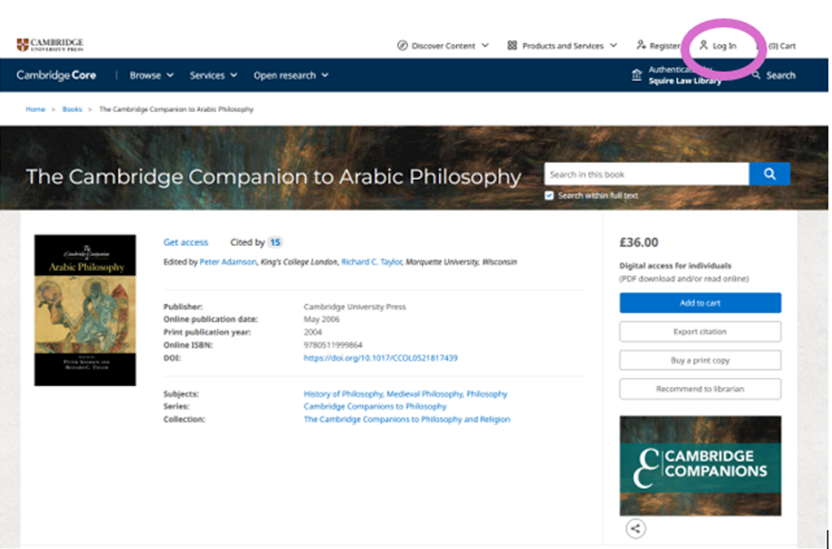
2. This will take you to the home page of your book. Click on 'Log in' in the top right-hand corner
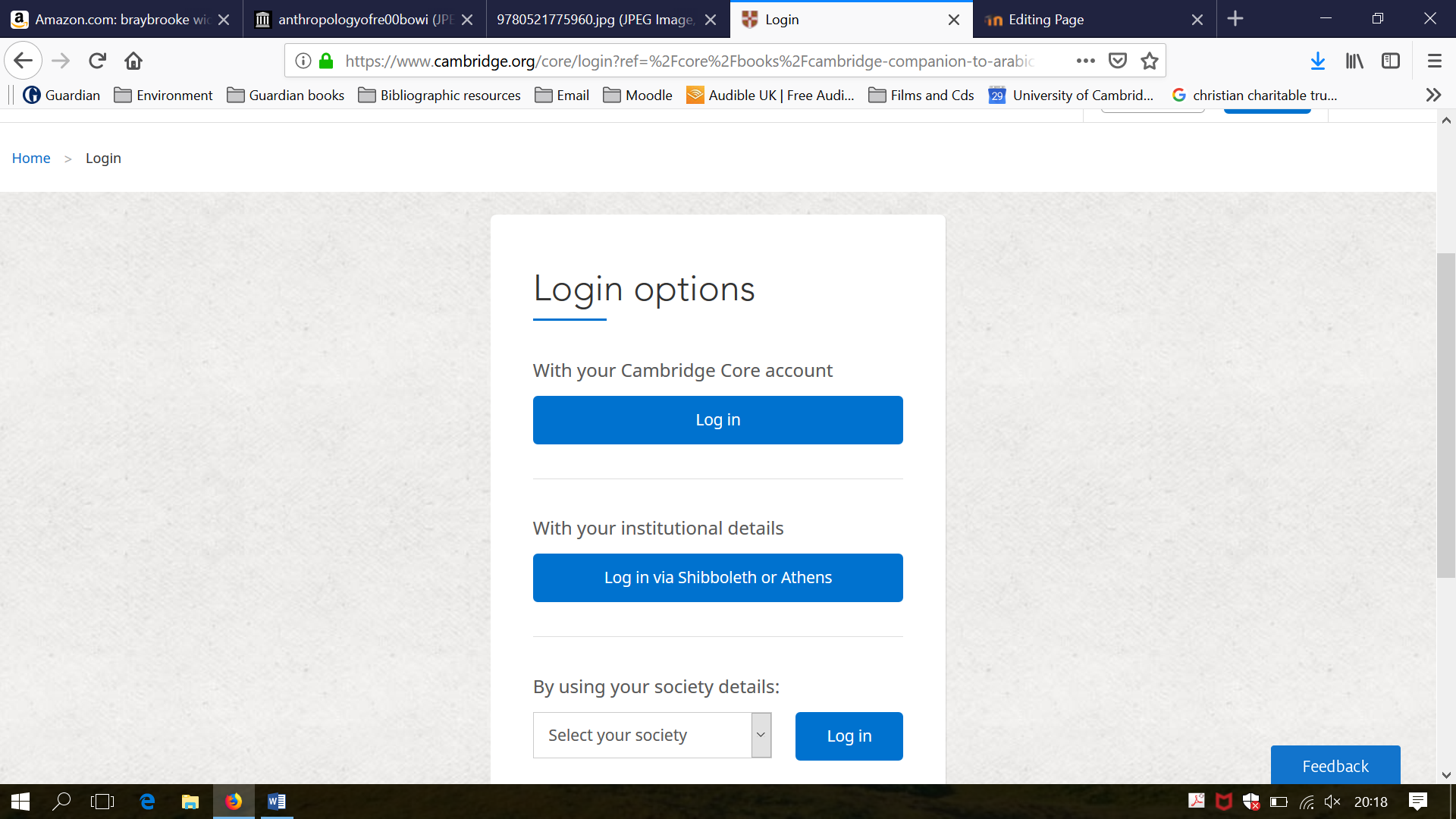
3. From the log-in options, choose option 1, 'With your Cambridge Core account'. Click on 'Log-in':
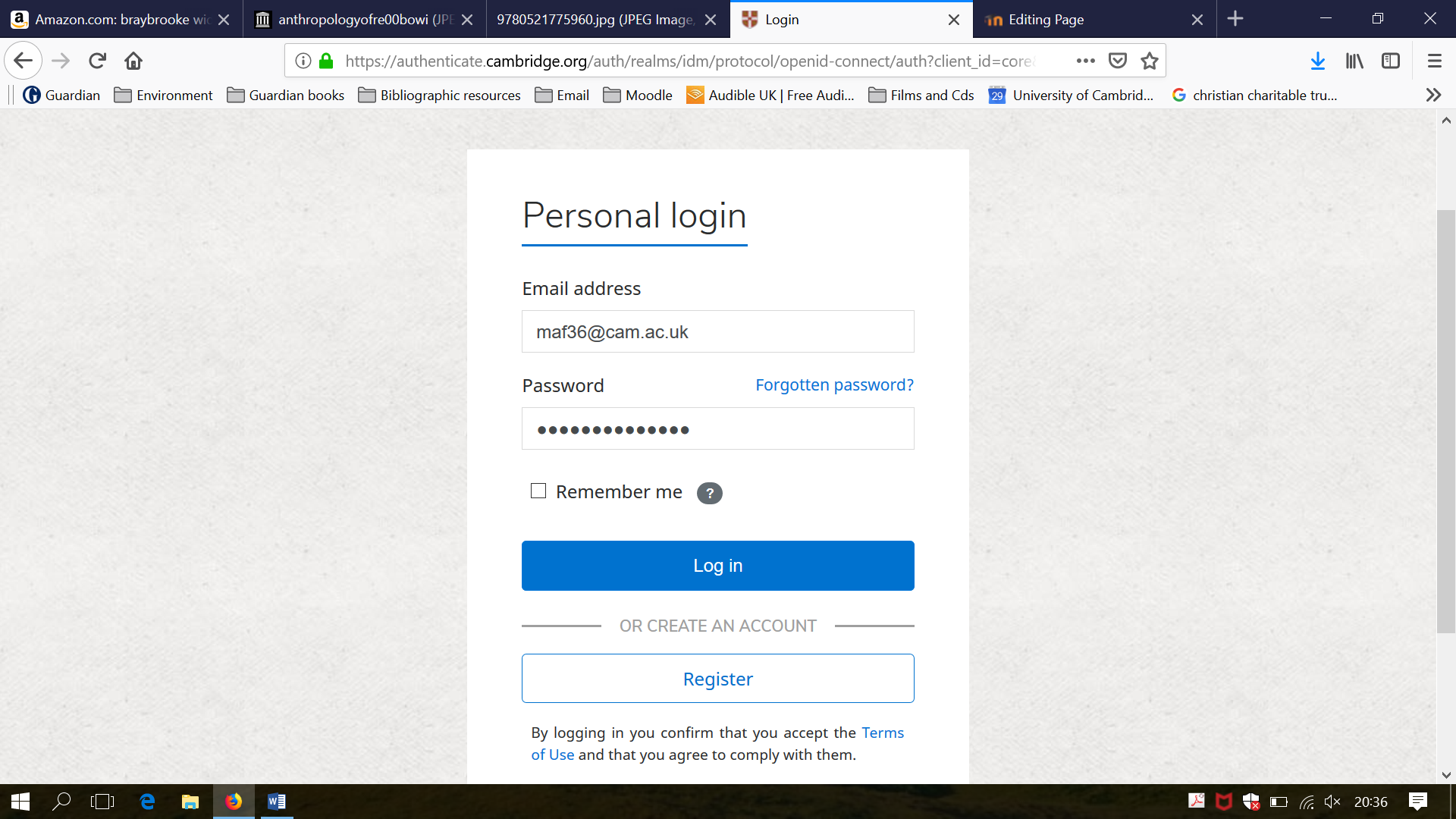
4. ' In the username box, enter 'maf36@cam.ac.uk'. In the password box, enter 'CTFcompanions1'. then click on 'Log in':
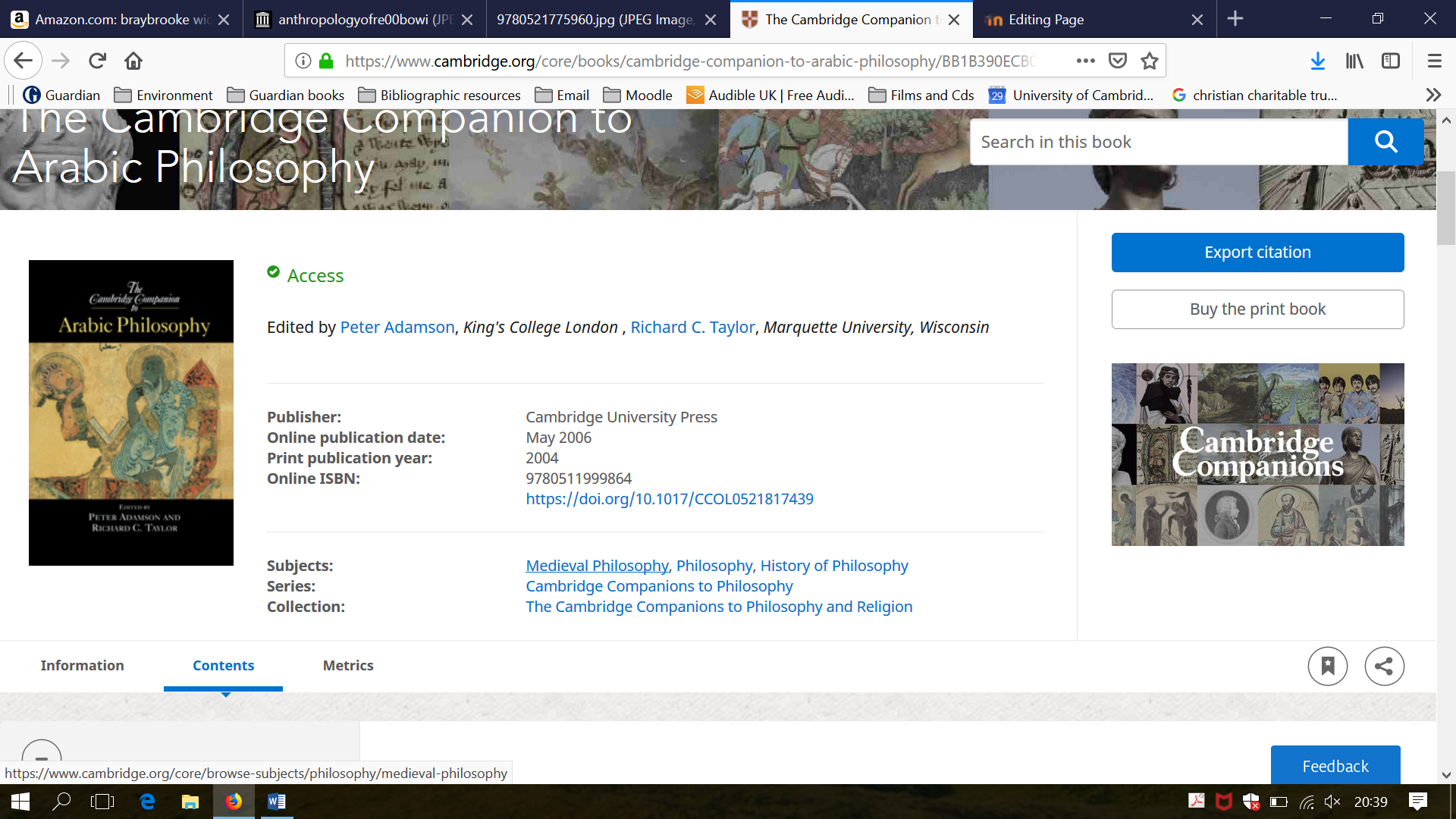
5. This will take you back to the home page of the book, with the green Access sign ticked, confirming that you have logged in successfully and can now access the full text of the book:
Last modified: Wednesday, 3 September 2025, 3:44 PM